🛍️ AI Product Editor

Edit Product Photos with AI

Upload a product photo, describe a background or lighting change, and review the generated result before using it in a listing.

Sign in to upload and generate. Edit each product separately and check the result against your marketplace requirements.

Original skincare product photo
Illustrative white-background product image

Edit a Product Photo

Upload a product photo, describe a background or lighting edit, and review the generated image. Sign-in and available credits are required.

0 / 1000

Images generated by free users will have a watermark

White Background Example

White Background Example

Remove the background completely. Place the item on a pure white canvas with a soft, natural drop shadow. Enhance colors and sharpen details.

Lifestyle Context

Lifestyle Context

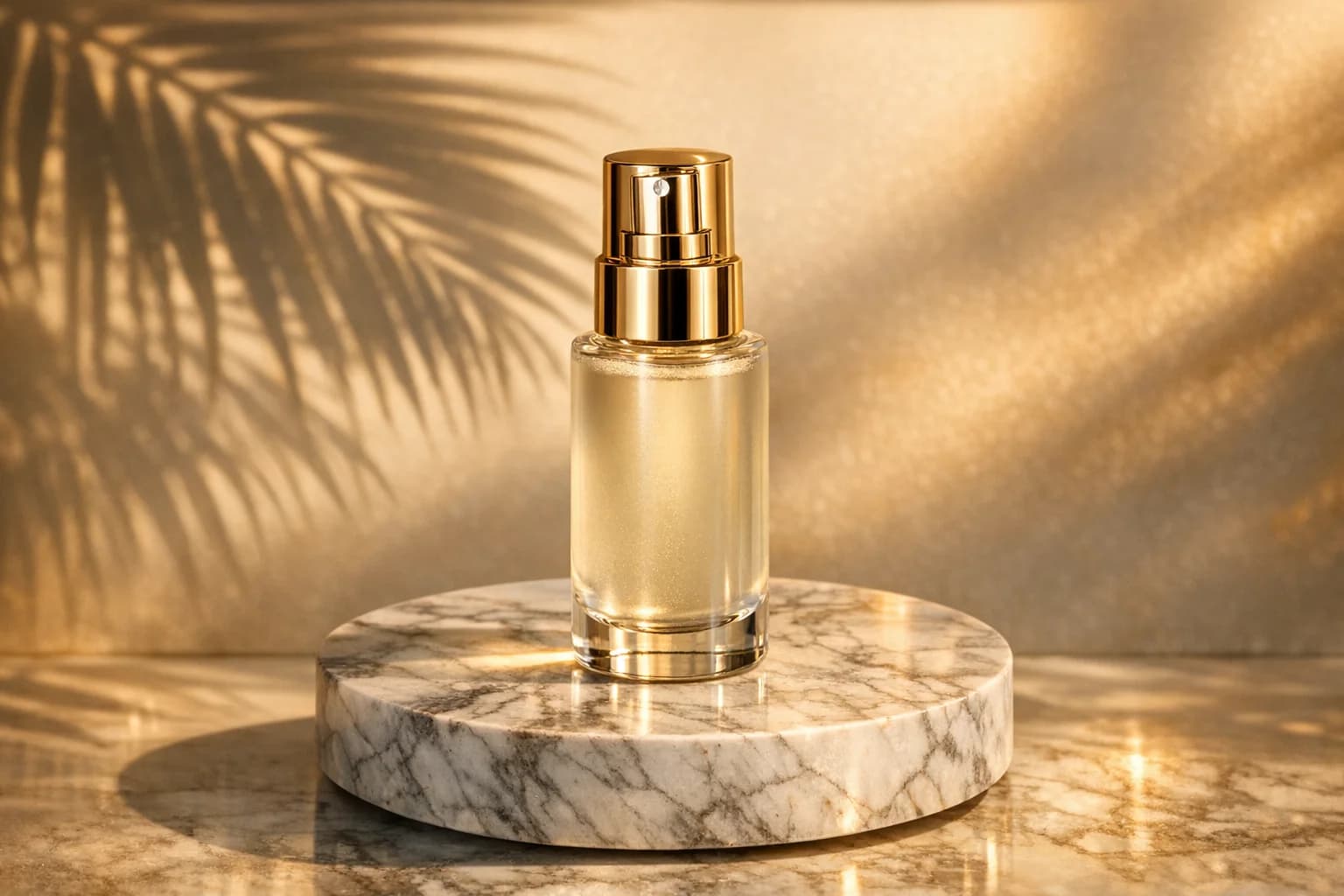
Enhance the lighting to a warm golden hour glow. Place this product on a clean marble countertop with soft, aesthetic sunlight streaming through a window.

High-End Commercial

High-End Commercial

Create a dramatic, high-end commercial look. Deep moody lighting, sharp texture enhancement, and a sleek dark grey studio background with a subtle reflection.

FEATURES

Product Photo Editing Options

Edit one product at a time and review each result before listing it.
Product photo background example

Background Editing

Upload a product photo and ask the AI to remove or replace its background. Review the edges and background color before using the result.
Product detail editing example

Lighting and Color Adjustments

Describe a lighting or color adjustment for one product photo, then compare the generated image with your source.
Four product photo examples; each item needs a separate generation

Edit Each Product Separately

Upload up to four reference images for one generation. Review the result for one product, then start a new generation for another item.
Perfume bottle in a lifestyle scene

AI Lifestyle Backgrounds

Describe a setting for a product photo. Check that the product, label, and packaging still match the source image.
FAQ

Frequently Asked Questions

Everything you need to know about our e-commerce photo editor.
Yes. Sign in before uploading a photo and starting generation. The tool checks available credits before it runs.
You can upload up to four reference images for one generation. The tool uses them together; it does not return four separately edited products. Start a new generation for another product.
Marketplace acceptance is not guaranteed. Check the product edges, colors, labels, background, and the current rules of your selling platform before listing.
Upload a reference image, describe the change, and review the result.

Ready to edit a product photo?

Sign in to generate. Create a separate result for each product.